Searching for Amazon Vine login usually means one of two things.
You may be an Amazon Vine Voice trying to access your Vine dashboard and review products. Or you may be an Amazon seller looking for the Vine enrollment area in Seller Central.
Those two experiences are related, but they are not the same.
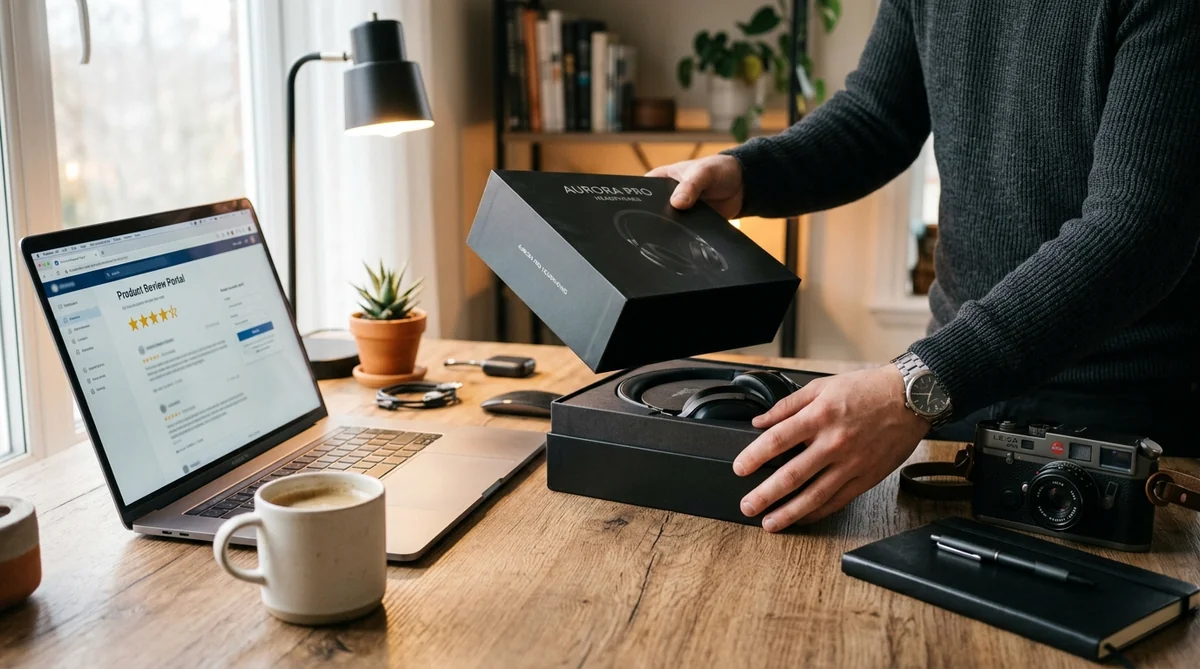
Amazon Vine is a product-review program operated by Amazon. Amazon invites selected reviewers, known as Vine Voices, to receive eligible products and provide honest reviews. Sellers can enroll eligible products in Vine so participating reviewers can try them and provide feedback.
The important part is that there isn't a separate set of ordinary Vine credentials that you create just for the program. Your access is tied to your existing Amazon account or, for sellers, your Seller Central account.
This guide explains how Amazon Vine login works, where reviewers and sellers should go, what to do when the Vine dashboard is missing, how invitations work, common login problems, Vine requirements, seller fees, taxes and important security tips.
What Is Amazon Vine?
Amazon Vine is an invitation-based product-review program that connects selected Amazon reviewers with products offered by participating sellers.
Amazon calls its participating reviewers Vine Voices.
The basic idea is straightforward:
- Amazon selects eligible reviewers.
- Sellers enroll eligible products.
- Vine Voices can request products available to them.
- Reviewers receive the products at no charge.
- They try the products and provide honest feedback.
- The review appears on Amazon with Vine identification.
Amazon says Vine is designed to help shoppers make informed purchasing decisions by providing reviews from invited reviewers with purchase history and experience in relevant categories.
So when someone searches Amazon Vine login, they are usually trying to reach the account area associated with this program.
Amazon Vine Login: The Important Difference Between Reviewers and Sellers
Before trying to sign in, identify which side of Vine you are using.
| User | Where access comes from | Main purpose |
|---|---|---|
| Vine Voice | Amazon account / Vine access | Request products and submit reviews |
| Amazon Seller | Seller Central | Enroll eligible products in Vine |
| Ordinary Amazon customer | Regular Amazon account | Shop and write normal reviews |
This distinction eliminates a lot of confusion.
A normal Amazon customer account does not automatically provide access to Vine.
For reviewers, Vine participation is invitation-only. Amazon says there is no public application form for people who want to become Vine Voices.
How to Complete Amazon Vine Login as a Vine Voice
If Amazon has invited you to Vine, the login process is tied to the Amazon account associated with your invitation.
Step 1: Open Amazon
Go to the official Amazon website for your marketplace.
Avoid clicking a random “Amazon Vine login” result if you're unsure where it leads.
Step 2: Sign in to your Amazon account
Use the email address or mobile number associated with your Amazon account.
Enter your password and complete any security verification Amazon requests.
Step 3: Open your Vine access
If your account has Vine access, use the Vine entry point available to your account or the official invitation/access link supplied by Amazon.
Step 4: Open the Vine dashboard
An eligible Vine Voice should see the Vine environment associated with the account.
From there, the available product selection and review-related functions depend on the account and current Vine program rules.
Step 5: Review the program requirements
If you are accessing Vine for the first time, pay attention to the terms, review obligations and any tax-related information Amazon provides.
The important thing is to use the same Amazon account that received the Vine invitation.
Does Amazon Vine Have a Separate Login?
This is one of the most common questions around the keyword.
Vine access is connected to your Amazon account rather than requiring a completely separate consumer account.
That means you generally should not create another Amazon account simply because you want to use Vine.
If you received a Vine invitation, the first thing to check when access does not appear is whether you are signed in to the correct Amazon account.
Amazon's own seller-community guidance confirms that Vine Voices do not use a public application or separate sign-up process to become reviewers. Selection is handled by Amazon.
What If I Don't See Amazon Vine After Logging In?
This is where many people become confused.
You can successfully log in to Amazon and still not have access to Vine.
That's because an Amazon login and Vine eligibility are two different things.
A missing Vine dashboard can mean:
- You haven't received a Vine invitation.
- You are using a different Amazon account.
- Your Vine access is no longer active.
- You are looking at the normal shopping account rather than Vine.
- The page or account session has a temporary technical issue.
- Amazon has changed the current interface or access path.
The most important point is:
Being able to log in to Amazon does not automatically make an account a Vine Voice account.
How Do You Become an Amazon Vine Voice?
You cannot simply create a Vine reviewer account and start requesting free products.
Amazon's current seller-community guidance says Vine is invitation-only for reviewers. There is no public application form for becoming a Vine Voice. Amazon considers factors related to the quality and helpfulness of a reviewer's existing review activity.
Amazon's seller documentation similarly describes Vine Voices as reviewers Amazon has invited based on the insightfulness of reviews they have published in the Amazon store.
This means there is no legitimate shortcut such as:
- Paying for a Vine invitation
- Buying a Vine account
- Registering through a third-party “Vine membership” site
- Sending money to someone promising an invitation
If someone claims they can sell you Amazon Vine access, be extremely cautious.
How Can You Improve Your Chances of a Vine Invitation?
Amazon does not provide a public formula that guarantees an invitation.
However, Amazon's own guidance indicates that reviewer selection considers the quality and usefulness of review activity.
A sensible approach is to focus on becoming a genuinely useful Amazon reviewer.
Write detailed reviews
Explain what you actually experienced.
Be specific
Instead of saying “Great product,” explain what worked and what did not.
Stay honest
A review should reflect your actual experience.
Review products you genuinely use
Real experience produces more useful information than generic comments.
Avoid manipulating ratings
Trying to game review systems can undermine your account and the usefulness of your feedback.
There is no guarantee that these actions will result in a Vine invitation. Amazon controls the selection process.
Amazon Vine Login for Sellers
The seller side works differently.
If you're an Amazon seller, you don't access Vine through the ordinary consumer shopping interface.
Instead, Vine is managed through Seller Central.
Amazon says sellers participating in Vine need a Professional selling account and either a Brand Representative or Reseller role for a brand enrolled in Amazon Brand Registry, or qualifying generic products in their catalog.
The basic seller workflow is:
- Sign in to Seller Central.
- Make sure the correct seller account is active.
- Open the Vine section available to your account.
- Select an eligible product.
- Enroll the product.
- Provide the required inventory.
- Vine Voices can request eligible units.
- Reviews may subsequently be published by participating reviewers.
The exact navigation can change as Amazon updates Seller Central, so look for the current Vine option within the official seller interface rather than relying on an old screenshot.
Amazon Vine Seller Eligibility
Amazon's current Vine documentation lists several requirements for products enrolled in the program.
Among the stated requirements are:
- An eligible selling account
- Appropriate brand status where applicable
- FBA fulfillment
- A product detail page with an image and description
- Fewer than 30 reviews on the product detail page
- Inventory available for fulfillment
Amazon also excludes certain categories of products, including adult, digital and bundled products.
Requirements can vary by marketplace and Amazon can change the program, so sellers should always check the current Vine documentation inside Seller Central.
Amazon Vine Fees for Sellers
Vine isn't necessarily free for sellers.
Amazon's current U.S. documentation lists the following enrollment structure for a parent product:
| Units enrolled | U.S. enrollment cost |
|---|---|
| Up to 2 | $0 |
| 3–10 | $75 |
| 11–30 | $200 |
Amazon states that there is no additional enrollment cost for child products. It also says sellers are not charged until after the applicable conditions are met, and if no Vine review is received within 90 days of enrollment, the seller is not charged.
Because Amazon can change pricing and incentives, sellers should verify the current amount in Seller Central before making an enrollment decision.
How Many Vine Reviews Can a Product Receive?
Amazon's current seller page says Vine can provide up to 30 reviews for an enrolled product.
The actual number of reviews received can depend on whether Vine Voices request the product and subsequently review it.
Enrollment therefore should not be interpreted as a guarantee that every available unit will produce a published review.
What Happens After a Seller Enrolls a Product?
Once an eligible product is enrolled, Amazon makes the available units accessible to participating Vine Voices.
Reviewers can decide which products they want to try.
They then receive the product and provide feedback.
Amazon describes these reviews as honest and unbiased opinions and says Vine Voices are not simply paid to give positive ratings.
That's an important part of the program's purpose.
The seller supplies the product, but the resulting review is supposed to reflect the reviewer's genuine experience.
Can Sellers Choose Only Positive Vine Reviews?
No.
The fundamental idea behind Vine is authentic feedback.
A seller cannot legitimately treat Vine as a system for purchasing five-star reviews.
A Vine reviewer may have a positive experience, a mixed experience or a negative experience.
The purpose is to give shoppers information they can use when evaluating the product.
That independence is one reason Vine can be useful to both sellers and customers.
Amazon Vine Login Problems and How to Fix Them
Not every Vine login problem is actually a password problem.
Here are some of the most common situations.
| Problem | What to check |
|---|---|
| Vine isn't visible | Confirm the Amazon account has Vine access |
| Wrong account | Sign out and use the account connected to the invitation |
| Password rejected | Use Amazon's official password-recovery process |
| Verification problem | Complete the security verification Amazon requests |
| Page won't load | Refresh, try another browser or check Amazon service status |
| Old session | Sign out and start a fresh session |
| Seller Vine missing | Confirm you're using Seller Central and have the required eligibility |
| Unexpected login page | Check the domain before entering credentials |
What to Do If Your Amazon Vine Login Is Not Working
Try these steps in order.
1. Check the account
Make sure you're using the Amazon account associated with your Vine access.
This is especially important if you have multiple Amazon accounts.
2. Reset your Amazon password if necessary
If your normal Amazon credentials aren't working, use Amazon's official password-recovery process rather than a third-party recovery service.
3. Complete account verification
Amazon may request an additional verification step depending on your account and security settings.
4. Try a fresh browser session
A stale login session or corrupted cookies can sometimes interfere with account pages.
You can try:
- Signing out
- Closing the browser
- Reopening it
- Using a private/incognito window
- Clearing relevant browser data
5. Try another browser
If the page isn't loading correctly, test a current version of another mainstream browser.
6. Check whether Vine access exists
If you can access Amazon normally but cannot find Vine, the issue may be eligibility rather than authentication.
Amazon Vine Login on Mobile
Many Amazon account functions work through mobile browsers and Amazon's mobile experience.
However, if a particular Vine page doesn't display correctly on a phone, switching to a desktop browser can make account and dashboard navigation easier.
This is especially useful when:
- Reviewing detailed product information
- Writing longer reviews
- Managing seller enrollment
- Comparing several products
- Reading program terms
Don't install an unofficial “Amazon Vine login” application simply because a website tells you that you need one.
Always start with Amazon's official services.
Is There an Amazon Vine App?
You should be cautious with third-party applications claiming to be an official Vine login app.
The safest starting point is the official Amazon website or Seller Central.
If Amazon introduces or changes an official mobile experience, confirm it through Amazon's own documentation or app listings rather than downloading an APK or unknown application from a random website.
This is particularly important because login credentials are valuable.
Amazon Vine and Taxes
Tax treatment is an important part of the Vine program for reviewers.
Amazon states that Vine Voices are responsible for income tax on products they receive through the program.
That means a product received through Vine should not automatically be thought of as “completely free.”
The tax consequences depend on the applicable rules and the reviewer's circumstances.
For U.S. participants, tax reporting can be particularly important.
If you're unsure how Vine products affect your tax situation, speak with a qualified tax professional rather than relying on a generic blog post.
Are Amazon Vine Products Really Free?
From a purchase-price perspective, Vine Voices receive participating products at no charge.
But “free” does not necessarily mean “without obligations.”
A Vine Voice may have:
- Review responsibilities
- Account requirements
- Tax implications
- Program rules
- Product limitations
Amazon explicitly states that Vine Voices are responsible for income tax on the products they receive.
So prospective Vine Voices should understand the full arrangement rather than focusing only on the free-product aspect.
Do Vine Voices Have to Give Five Stars?
No.
The purpose of Vine is to provide honest opinions.
A reviewer should not give a product a positive rating simply because it was received through Vine.
A useful review should discuss the actual experience.
For example, a good review might explain:
- Build quality
- Ease of installation
- Performance
- Features
- Limitations
- Value
- Who might benefit from the product
- Who might want something different
Honesty makes the review more useful to future shoppers.
Amazon Vine Review Best Practices
If you become a Vine Voice, think of the review as useful product research rather than a thank-you note to the seller.
Describe your actual experience
Don't make claims you haven't tested.
Explain both positives and negatives
Balanced feedback is more useful than empty praise.
Avoid personal information
Never include unnecessary private information in a public review.
Use relevant details
Mention measurements, compatibility, setup difficulty or performance where those details genuinely matter.
Don't copy other reviews
Your review should reflect your own experience.
Follow Amazon's current Vine rules
Program policies can change, so use Amazon's current guidance as the final authority.
Amazon Vine vs Normal Amazon Reviews
These are not exactly the same thing.
| Feature | Normal Amazon Review | Vine Review |
|---|---|---|
| Reviewer | Regular customer | Amazon-invited Vine Voice |
| Product | Usually purchased | Supplied through Vine |
| Cost to reviewer | Normally purchased | Provided at no charge |
| Review identification | Standard review | Vine identification |
| Selection | Open to eligible customers | Invitation-based |
| Purpose | Share customer experience | Provide early/high-quality product feedback |
The distinction is important when shoppers see the Vine label next to a review.
Why Do Sellers Use Amazon Vine?
New products often face a difficult problem.
Customers want to see reviews before buying.
But a newly launched product has no review history.
That creates a cycle:
No reviews → less shopper confidence → fewer purchases → fewer reviews.
Vine is designed to help break that cycle by giving eligible products access to invited reviewers.
Amazon says Vine can help sellers collect reviews even before a product launches publicly and can provide product feedback that helps shoppers make informed purchasing decisions.
Amazon Vine and Product Launches
For sellers launching a new product, reviews can provide useful early feedback.
But Vine should not be treated as a guaranteed sales machine.
A product still needs:
- Competitive pricing
- Good product quality
- Accurate listing information
- Strong images
- Appropriate inventory
- Good customer experience
- Relevant search visibility
Reviews are only one part of the Amazon marketplace.
Common Amazon Vine Login Mistakes
Several mistakes appear repeatedly when people search for help.
Mistake 1: Creating another Amazon account
If you already received a Vine invitation, creating a second account can create confusion.
Mistake 2: Looking for a public Vine registration page
There is no ordinary public application form for becoming a Vine Voice. Amazon's current guidance says reviewers are invited.
Mistake 3: Using a third-party login page
Never enter your Amazon password into a suspicious website.
Mistake 4: Assuming an Amazon account equals Vine access
It doesn't.
Mistake 5: Confusing Seller Central with the consumer Amazon website
Sellers manage Vine through their seller environment.
Mistake 6: Assuming Vine products are tax-free
Amazon says Vine Voices are responsible for income tax on products they receive.
How to Stay Safe When Searching for Amazon Vine Login
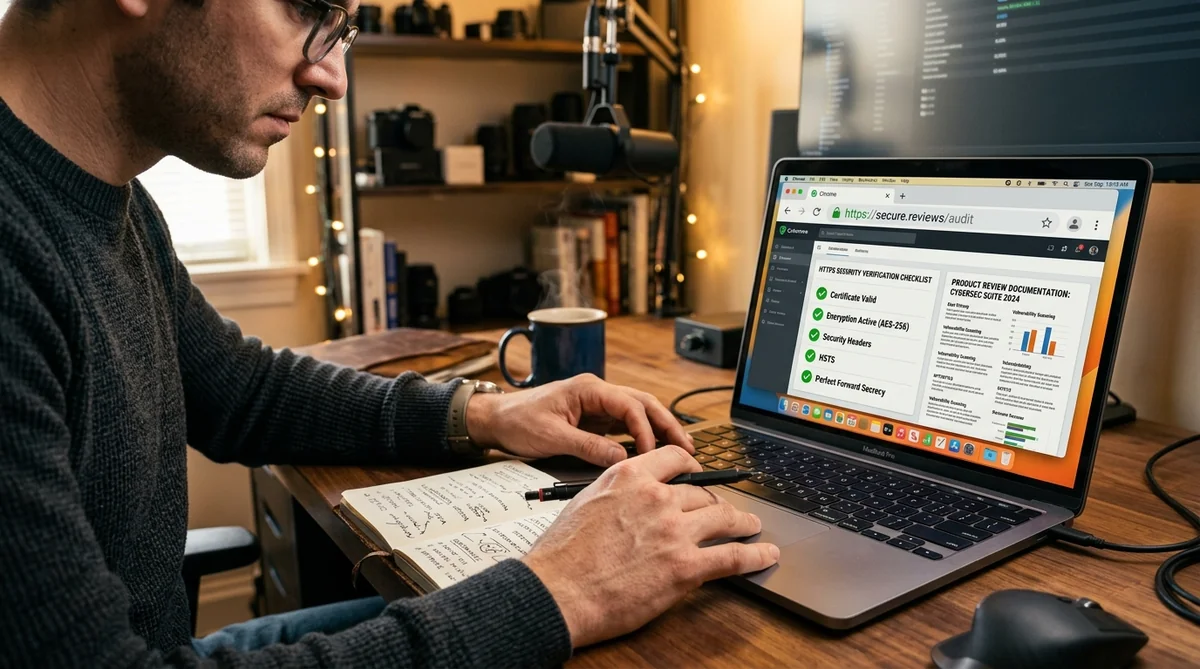
The popularity of search terms such as amazon vine login can also attract phishing attempts.
A fake login page may look surprisingly similar to Amazon.
Before entering your credentials:
Check the domain
Look carefully at the browser's address bar.
Avoid suspicious ads and pop-ups
A search result saying “Vine Login” does not automatically mean it is operated by Amazon.
Don't share verification codes
Never give an OTP or authentication code to someone who contacts you unexpectedly.
Don't pay for an invitation
Amazon's Vine reviewer program is invitation-based. A third party promising guaranteed access in exchange for money is a major warning sign.
Use Amazon directly
When in doubt, navigate to Amazon yourself instead of following an unfamiliar link.
What If Someone Offers to Sell You an Amazon Vine Account?
Don't do it.
A third-party seller cannot legitimately guarantee that Amazon will give you Vine access simply because you paid them.
Buying or sharing accounts can also create security and policy problems.
The safer route is to maintain your own Amazon account and build a genuine review history.
Amazon's own guidance says there is no public Vine reviewer application form.
Amazon Vine Login: Reviewer vs Seller Checklist
If you're a Vine Voice:
- Use the Amazon account associated with your invitation.
- Use Amazon's official access path.
- Keep your password secure.
- Complete required verification.
- Check your Vine dashboard.
- Follow current review requirements.
- Keep tax obligations in mind.
If you're a seller:
- Sign in to Seller Central.
- Confirm the correct selling account.
- Check Vine eligibility.
- Confirm your product meets the current requirements.
- Review current fees.
- Enroll the appropriate product.
- Monitor the enrollment through Seller Central.
Frequently Asked Questions About Amazon Vine Login
Amazon Vine login refers to accessing the Vine program through the Amazon account associated with a Vine Voice invitation or through Seller Central for eligible sellers.
Vine access is connected to your Amazon account rather than requiring a completely separate consumer account. Sellers use their Seller Central account for the seller side of Vine.
No. Amazon says Vine Voices are selected by invitation and there is no public application form for reviewers.
You cannot directly apply through a normal public registration form. Amazon selects Vine Voices based on its own criteria, including the quality and helpfulness of review activity.
You may be signed into an account without Vine access, or the account may not have an active invitation. It can also be a temporary technical or interface issue.
Eligible sellers manage Vine through Seller Central. Amazon lists Professional selling-account and product-related requirements for participation.
Amazon's current U.S. fee structure lists $0 for up to two units, $75 for three to ten units, and $200 for eleven to thirty units per parent product. Amazon's current terms and incentives should be checked before enrollment.
Vine Voices receive participating products at no charge, but Amazon states that reviewers are responsible for applicable income tax on the products they receive.
No. Vine is designed around honest and unbiased feedback rather than guaranteed positive ratings.
Sellers should not treat Vine as a system for controlling review sentiment. Vine's purpose is to collect authentic customer feedback, including feedback that may not be positive.
Access may be possible through a mobile browser, but a desktop browser can be more convenient for detailed dashboard work and writing reviews.
Don't rely on third-party apps claiming to provide Vine login. Start with Amazon's official website or Seller Central and verify any official mobile offering through Amazon.
Final Thoughts on Amazon Vine Login
The Amazon Vine login process is easier to understand once you separate the two sides of the program.
For a Vine Voice, access is connected to the Amazon account that has received Vine access. There is no ordinary public application form for becoming a reviewer. Amazon selects Vine Voices based on its own criteria, including the quality and helpfulness of their review activity.
For an Amazon seller, Vine is managed through Seller Central. Eligible sellers can enroll qualifying products and make units available to participating Vine Voices. Amazon's current documentation lists specific account, product, inventory and fee requirements.
The most important thing to remember is that Amazon login and Amazon Vine eligibility are not the same thing.
If you can sign into Amazon but cannot see Vine, don't immediately assume your password is wrong. First determine whether the account actually has Vine access.
And if you're searching for an Amazon Vine login page, always verify that you're using an official Amazon domain before entering your password or verification code.
For reviewers, Vine can provide an opportunity to try products and share useful experiences. For sellers, it can be a way to introduce eligible products to Amazon's invited reviewer community. But in both cases, the program works best when participants understand the rules rather than focusing only on the idea of “free products” or additional reviews.